


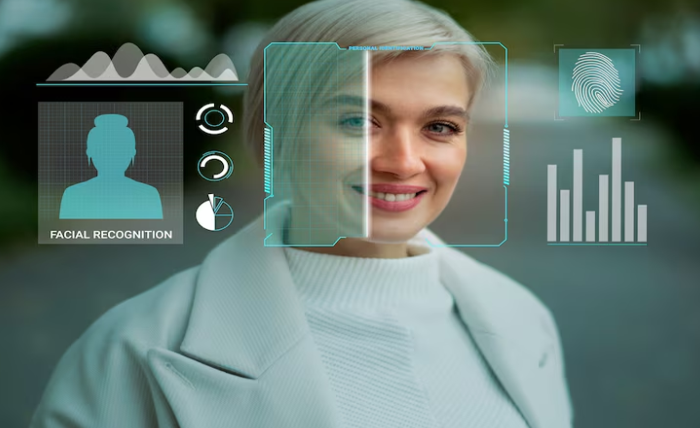
In 2025, creators and marketers have started using face swap AI and talking photo tools more creatively. Having personally tested the best options, I provide a thoughtful recommendation of the most effective platforms for animating photos, avatars, and videos, evaluated for creators, marketers, and startup builders for whom quality and control matter most.
At a Glance of the Best AI Face Swap & Talking Photo Tools
| Tool | Best For | Key Features | Free Plan | Platform |
| Magic Hour | Professional creators | Realistic face swap, talking photos, AI avatars | ✅ | Web |
| HeyGen | Marketing teams | AI presenters, multilingual voiceover | ✅ | Web |
| DeepFaceLab | Developers | Custom model training, precision control | ❌ | Windows |
| Reface | Social users | Fun face swaps, memes, GIFs | ✅ | Mobile |
| Synthesia | Enterprises | Corporate avatars, brand videos | ✅ | Web |
| D-ID | Educators | Talking photo animations | ✅ | Web |
| FaceMagic | Influencers | Quick video swaps | ✅ | Mobile |
| Pika Labs | Visual storytellers | Text-to-video, lip-sync generation | ✅ | Web |
1. Magic Hour: The Benchmark for AI Face Swap & Talking Photos.
Magic Hour is where I started using AI Open Face Swapper and I was struck, this has set the gold standard for new tech media. It has a perfect blend of ultra precise face swap and talking photo creations which is particularly useful for startups, content studios, and individual creators.
Pro:
All face swap creations yield a face with ideal facial expressions, perfect lighting, and no visible swap artifacts.
For talking portraits, you will get hyper real lip sync.
Handles different formats: video or still images.
No downloads are needed, you will enjoy a user-friendly site.
No public models so your privacy is guaranteed.
A no cost option is available to check its performance before the trial.
Cons:
Rendering images in the cloud is too slow for larger images, high resolution will take a while.
Batch automation is still limited.
I used Magic Hour to animate a still portrait for a brand explainer. The realism was striking — micro-expressions, eye movement, and synced dialogue looked broadcast-ready. If you want professional control without deep technical setup, Magic Hour is unmatched.
Pricing: Magic Hour permits for the use of a free account, and charges starting at $10 each month for upgraded accounts.
2. HeyGen: Great for AI Video Presenters
Marketing teams in need of AI avatars to relay written messages have turned to HeyGen. Moreover, it offers talking photos in addition to full body avatars and scene templates.
Pros:
Avatars which can be customized 100+ ways
40+ languages support text-to-speech
Integrate effortlessly into marketing and sales workflows
Brand presentation videos have an accuracy you can rely on.
Cons:
Informatization gaps could make emotion control look synthetic.
Limited creative options for the editing.
When scaling the company marketing videos, HeyGen is a value-adding choice. Content pipeline startups can also benefit, just remember the polish can be added post-filming. Refin shooting and editing is a good level to be aiming for.
Pricing: $29/month for Pro plans, Free trial available.
3. DeepFaceLab: For Technical Experts and Researchers
DeepFaceLab is the most technically advanced open-source face swap tool available and powerful face swap tools require a lot of time and GPU hardware for configuration.
Pros:
Flexibility in adjusting and fine tuning the configurations and models.
Excellent outcome when the models are trained as required.
Transparency and open-source nature,
Active community on GitHub.
Cons:
Very long learning time required.
Absence of an official GUI for mainstream users.
DeepFaceLab has impressive results and questioned cutting accuracy, but to be good with it you need to be an expert, developer, or researcher.
Pricing: Open-source, Free.
4. Reface – Enjoyable Face Swapping on Your Phone
Reface was one of the first apps to make social face swapping popular and is still a good option for personal use and for content that can go viral.
Pros:
Simple and quick to operate
Enjoyable filters and meme styles
Excellent for swapping videos and GIFs
Cons:
Cannot be used professionally or for business
Export quality is low
Reface is great if you want quick, lightweight, and easily shareable Reels.
Pricing: Free with in-app purchases; Pro starts at $5/month.
5. Synthesia – Professional AI Avatars
As of October, Synthesia has also become a complete AI video generation suite, serving many businesses for training, education and even marketing.
Pros:
High-quality realistic avatars
Safe and compliant data processing
Text to speech in multiple languages
Text in the brand kit
Cons:
Few options for creative control
Pricing is rigid for individuals
What I appreciate most about Synthesia is its efficiency and safety for the brand when creating training videos.
Pricing: Free demo; paid plans start at $30/month.
6. D-ID – Turning Photos into Talking Characters
D-ID specializes in animating still photos to video. You can upload a photo, record a voiceover or use a text prompt to input voice, and then the AI creates a realistic video of the photo speaking.
Pro:
Highly detailed lip-syncing
Accommodates both real images and AI constructed avatars
Rapid output time
Con:
Repetitive motion range
Extreme range facial poses causing distortion
It is a great option for teachers and marketers who need to transform images into short video explainers.
Pricing: Done for free; pay subscription starts at $15.
7. FaceMagic: Fast Face Swaps for Social Creators
This tool allows you to swap your face in videos and add different faces to short clips. This option is probably best for those who are not tech friendly.
Pro:
Really easy to replace faces with just one click.
Use popular movies to add faces.
Works for Android and iOS.
Con:
Not a lot of options for video editing.
Ads on the free subscription.
Very good for short simple meme videos.
Pricing: Subscription starts at $9.99.
8. Pika Labs: AI Video Creation with Lip Sync.
Pika Labs is a video generator with Pika’s AI lip-sync feature that generates videos with motion audio and coherent lip synchronizations.
Pro:
Indeed both voice matching and lip-syncing are incredibly smart.
It is feasible to convert written text to video
Frequent improvements.
Con:
Prompting can be tedious and need to be tested.
Some features are in beta mode.
Great for visual storytelling and short films. Pika Labs is very flexible.
Pricing: Free tier, paid plans are anticipated in late 2025.
How I Selected These Tools
Over three weeks, I put each tool through a series of standardized tests.
- Accuracy: Just how realistic were the face swaps and lip syncs?
- Ease of Use: Can someone in the creator or marketing space use it with no substantial boilerplate environment?
- Ethics and Privacy Regime: Data collection, user privacy, and obtaining user consent.
- Worth and Availability: Freemium services, or low-cost.
- Creative Control: The manipulation of expressions, motion, and style.
Magic Hour was the only one to score the best on usability, quality, and ethics, in that case, the results looked the most natural in the professional use cases.
Market trends in Face Swapping and Talking AI Photos
By 2025, some tech advancements which are expected are:
Hybrid Ai video production: Magic Hour and similar services combine Face Swapping, Voice Synthesis and Animation into single processes.
Ethical Profits: The practices regarding consent and sourcing the models are becoming clearer.
Disruptive Creation: Democratized, individual-oriented Cloud Cinematic AI and Production technologies are revolutionary
Real-time personalization is the most exciting innovation to come. In this case, avatars respond to the user dynamically and in real time.
Final Thoughts: Which Tool Should You Choose?
For professional video creators: Use Magic Hour to create broadcast realism and exercise full creative control.
For marketing automation: Consider/ choose HeyGen or Synthesia.
For developers: DeepFaceLab still offers the greatest flexibility.
For casual use: Use Reface or FaceMagic for quick and easy fun.
For educators or storytellers: Use D-ID and Pika Labs for photo-driven storytelling.
It is best to try out 2 or 3 as each tool has a unique learning curve and each can be creatively different.
Pro Tip: The easiest way to try high-fidelity AI face swaps and talking portraits is to use Magic Hour’s free plan, which requires no technical setup.
Frequently Asked Questions
- What’s the most realistic face swap AI in 2025?
Magic Hour, according to independent creators, tops face swap AI in the realism and fidelity of expressions.
- Are AI talking photo tools safe to use?
Magic Hour and Synthesia, for example, are safe to use as they state explicit privacy policies and data consent.
- Can these tools be used for commercial projects?
Most of these tools come with commercial licenses. Just be sure to check the license terms before you publish branded content.
- Which tool is best for beginners?
Reface or FaceMagic are the easiest entry points for beginners. For those who are looking for higher quality work, Magic Hour has a user friendly interface.
- How often should I revisit tool comparisons?
You should revisit tool comparisons every three months. There are constant changes in the industry, and Magic Hour, along with the rest, frequently updates their available features.
